> ## Documentation Index
> Fetch the complete documentation index at: https://revenueflo.com/docs/llms.txt
> Use this file to discover all available pages before exploring further.
# React Native SDK
> Instructions to setup in-app offer paywall in iOS app **(React Native)**
Before proceeding with this guide, create a free account on the [RevenueFlo Platform](https://app.revenueflo.com/) and set up your first project and offer campaign to manage dynamic offer paywall seamlessly.
## Requirements
Xcode 13.0+ and iOS 15.0+ or later.
## Installation
* Go to your RevenueFlo project dashboard.
* Select the **Settings** from sidebar.
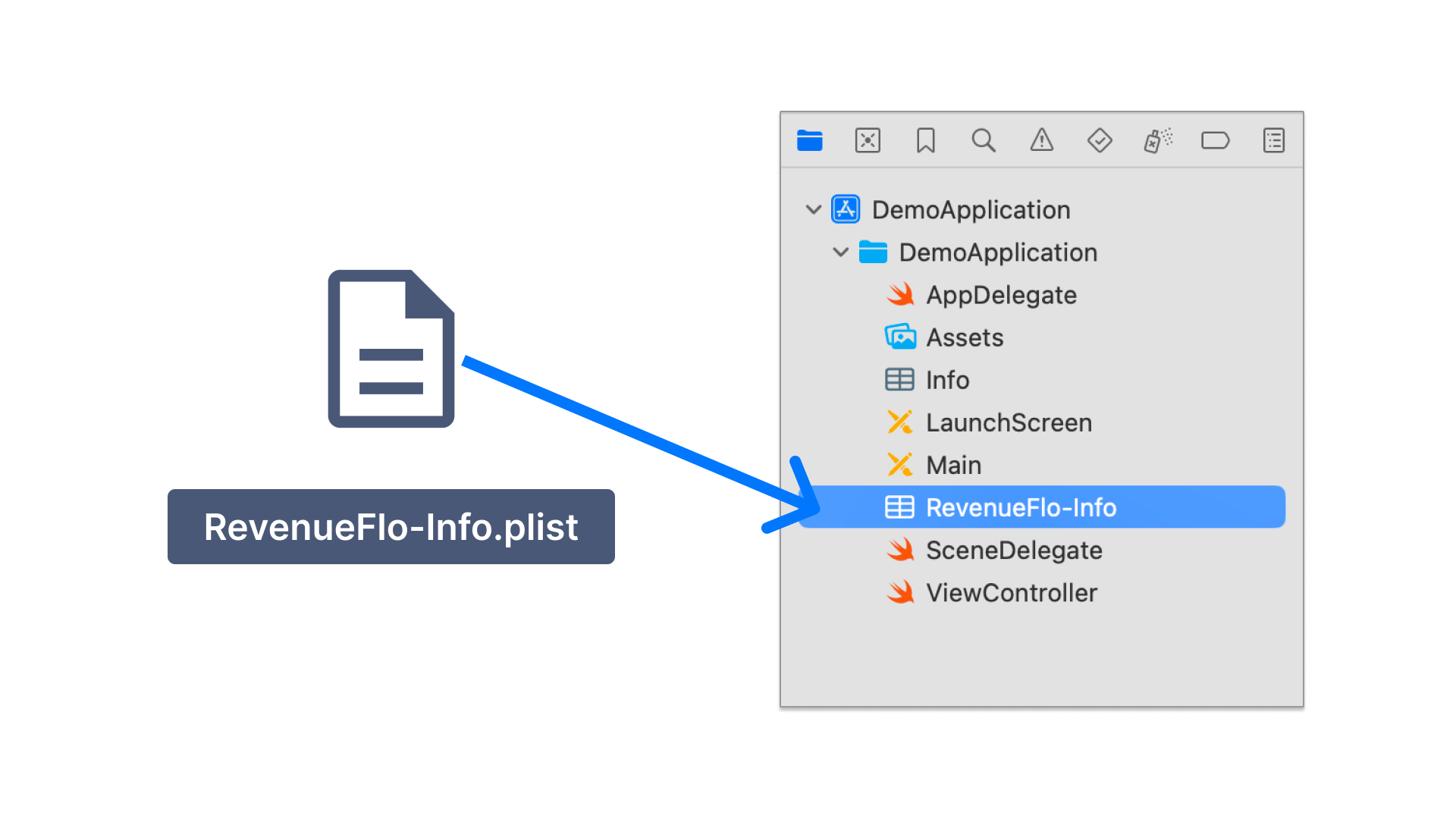
* Select **SDK & Code Setup → React Native** and **Download RevenueFlo-Info.plist**
* Copy the **RevenueFlo-Info.plist** file you just downloaded into the root of your Xcode project inside the **react-native** project folder and add it to all targets.
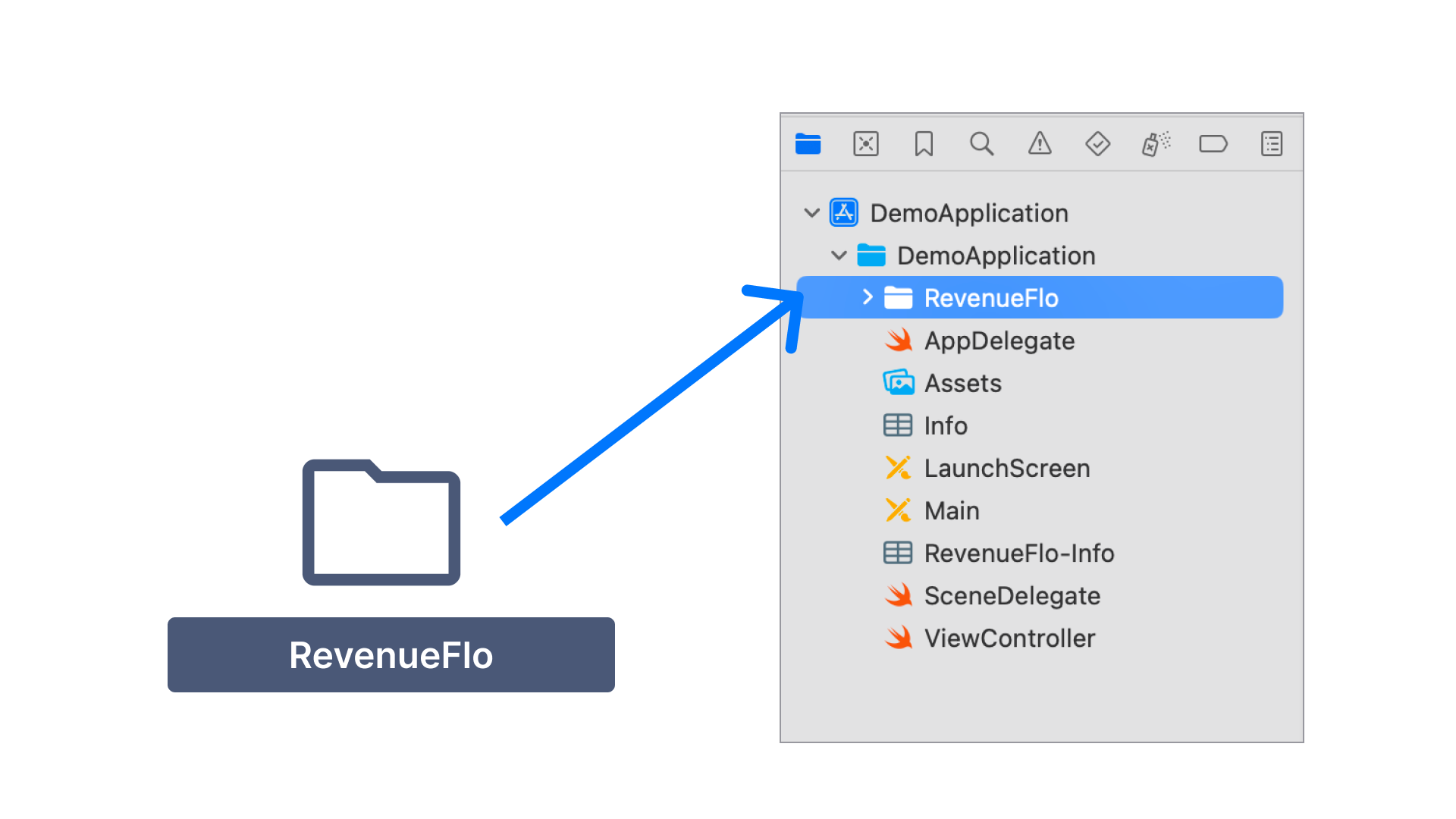
* [Download RevenueFlo SDK](https://revenueflo.com/downloads/SDK/RevenueFloRN.zip)
* Unzip & Copy the **RevenueFlo** folder from the SDK you just downloaded into the root of your Xcode project inside the **react-native** project folder and add it to all targets.
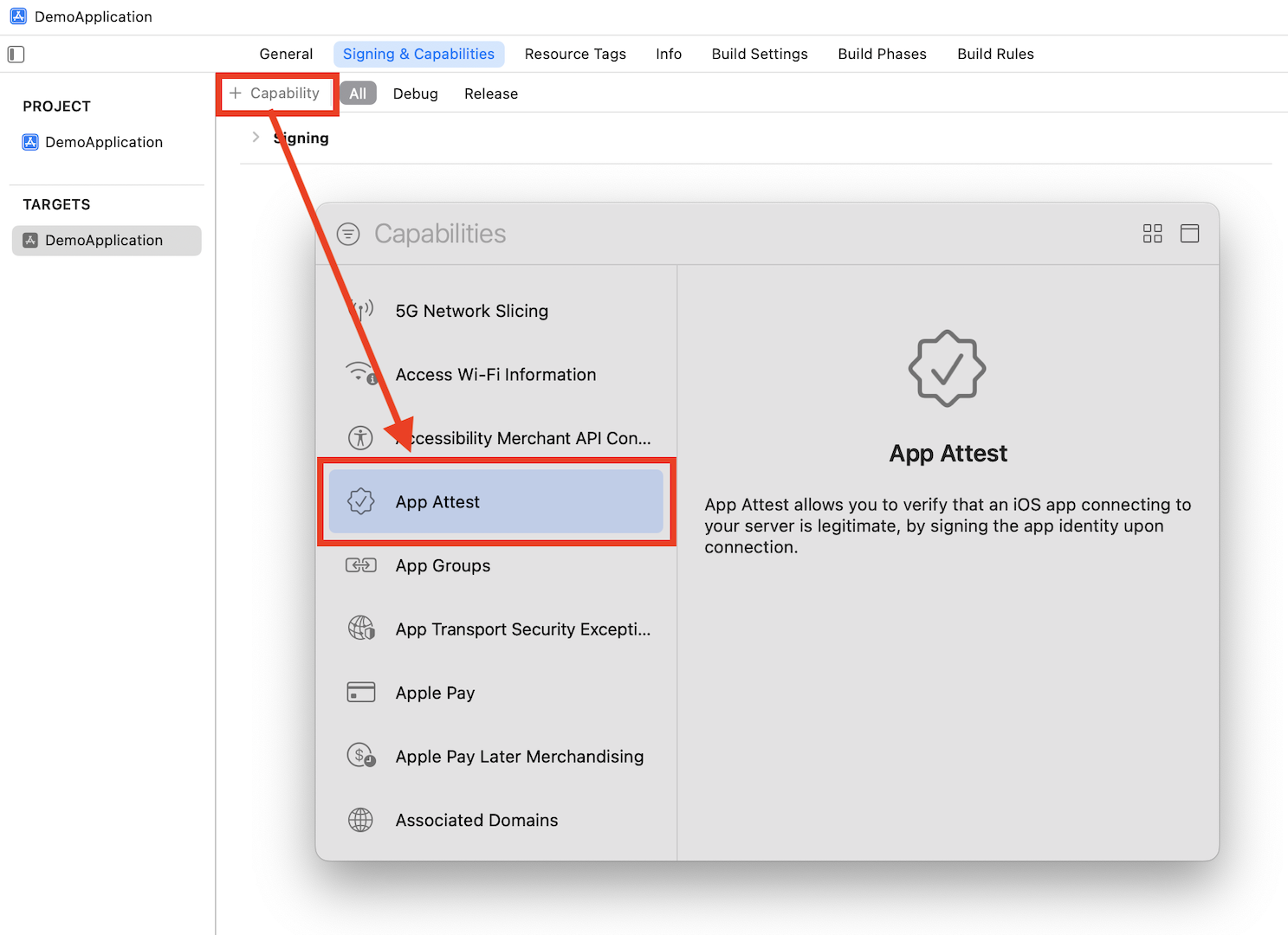
First, you need to configure the Xcode project so that the SDK can use **Apple's App Attest API** to ensure that requests sent from your app come from legitimate instances of your app.
1. Add the App Attest capability for your app target.
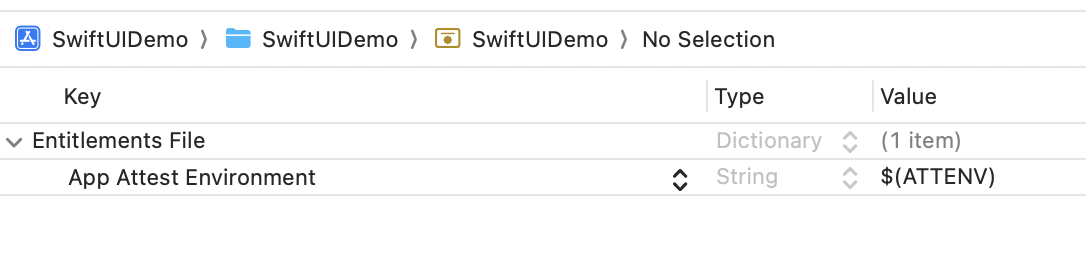
2. Open the **.entitlements** file in your Xcode project and set the App Attest Environment value to `$(ATTENV)`
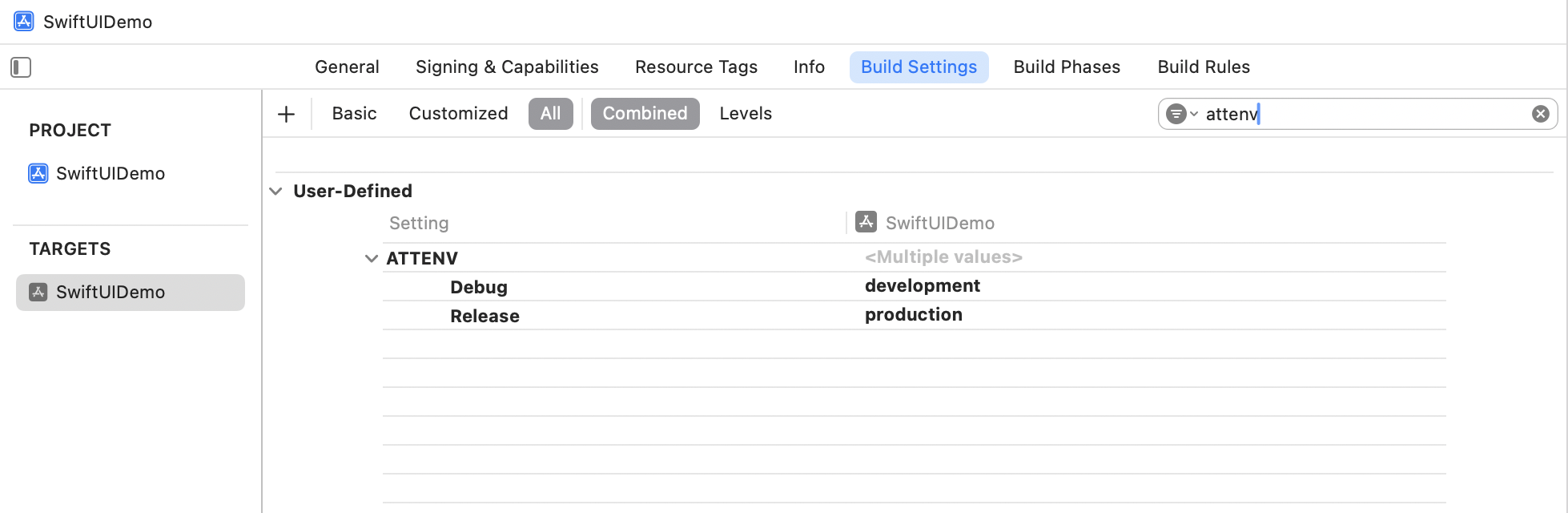
3. In Xcode's Target Build Settings, create a user-defined setting named `ATTENV` and set its value to `production` for Release and `development` for Debug.
## Import the SDK Code
To initialize the SDK in your React Native app, include the following in your `index.js:`
```javascript React icon="react" theme={null}
import {AppRegistry} from 'react-native';
import App from './App';
import {name as appName} from './app.json';
// Add these lines
import { NativeModules, Platform } from 'react-native';
const { RevenueFlo } = NativeModules;
if (Platform.OS === 'ios') {
RevenueFlo.configureForRN()
}
//
AppRegistry.registerComponent(appName, () => App);
```
## Present an In-app Offer
In your View, call the `presentOfferForRN()` method to seamlessly present an exclusive offer to your users. Ensure to configure the offer details in the campaign dashboard before invoking.
```javascript React icon="react" theme={null}
import { NativeEventEmitter, NativeModules, Platform } from 'react-native';
const { RevenueFlo } = NativeModules;
const eventEmitter = new NativeEventEmitter(RevenueFlo);
const App = () => {
useEffect(() => {
// Subscribe to RevenueFlo events
const offerDidPresent = eventEmitter.addListener(
'offerDidPresent',
(body) => {
console.log('offerDidPresent: ', body);
}
);
const offerDidClose = eventEmitter.addListener(
'offerDidClose',
(body) => {
console.log('offerDidClose: ', body);
}
);
const offerPrimaryButtonDidClick = eventEmitter.addListener(
'offerPrimaryButtonDidClick',
(body) => {
console.log('offerPrimaryButtonDidClick: ', body);
}
);
// Clean up subscriptions
return () => {
offerDidPresent.remove();
offerDidClose.remove();
offerPrimaryButtonDidClick.remove();
};
}, []);
// Set 5 secs delay if you're invoking on app launch.
// if (Platform.OS === 'ios') {
// RevenueFlo.presentOfferForRN(5.0)
// }
const presentOffer = () => {
if (Platform.OS === 'ios') {
RevenueFlo.presentOfferForRN()
}
};
return (
Welcome to React-Native
RevenueFlo Demo
);
};
```
Make sure you have at least one campaign active in RevenueFlo and test on a real device to experience your offer paywall exactly as your users will see it.
## Example In-app Offer
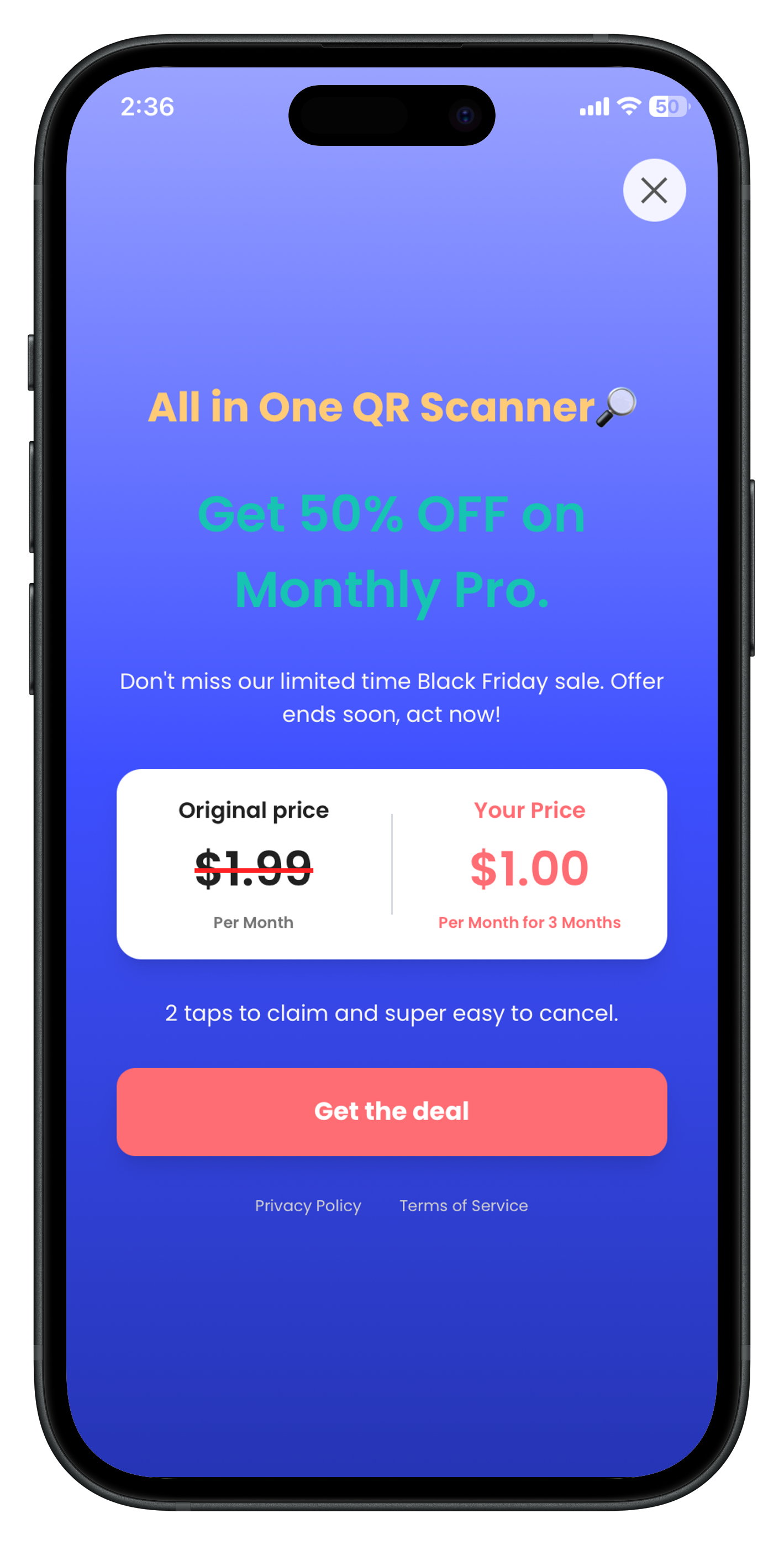
Here's the final presented offer paywall from **RevenueFlo**.
 2. Open the **.entitlements** file in your Xcode project and set the App Attest Environment value to `$(ATTENV)`
 3. In Xcode's Target Build Settings, create a user-defined setting named `ATTENV` and set its value to `production` for Release and `development` for Debug.