Before proceeding with this guide, create a free account on the RevenueFlo Platform and set up your first project and offer campaign to manage dynamic offer paywall seamlessly.

Requirements

Xcode 13.0+ and iOS 15.0+ or later.

Installation

1

Download config file

  • Go to your RevenueFlo project dashboard.
  • Select the Settings from sidebar.
  • Select SDK & Code Setup → Flutter and Download RevenueFlo-Info.plist
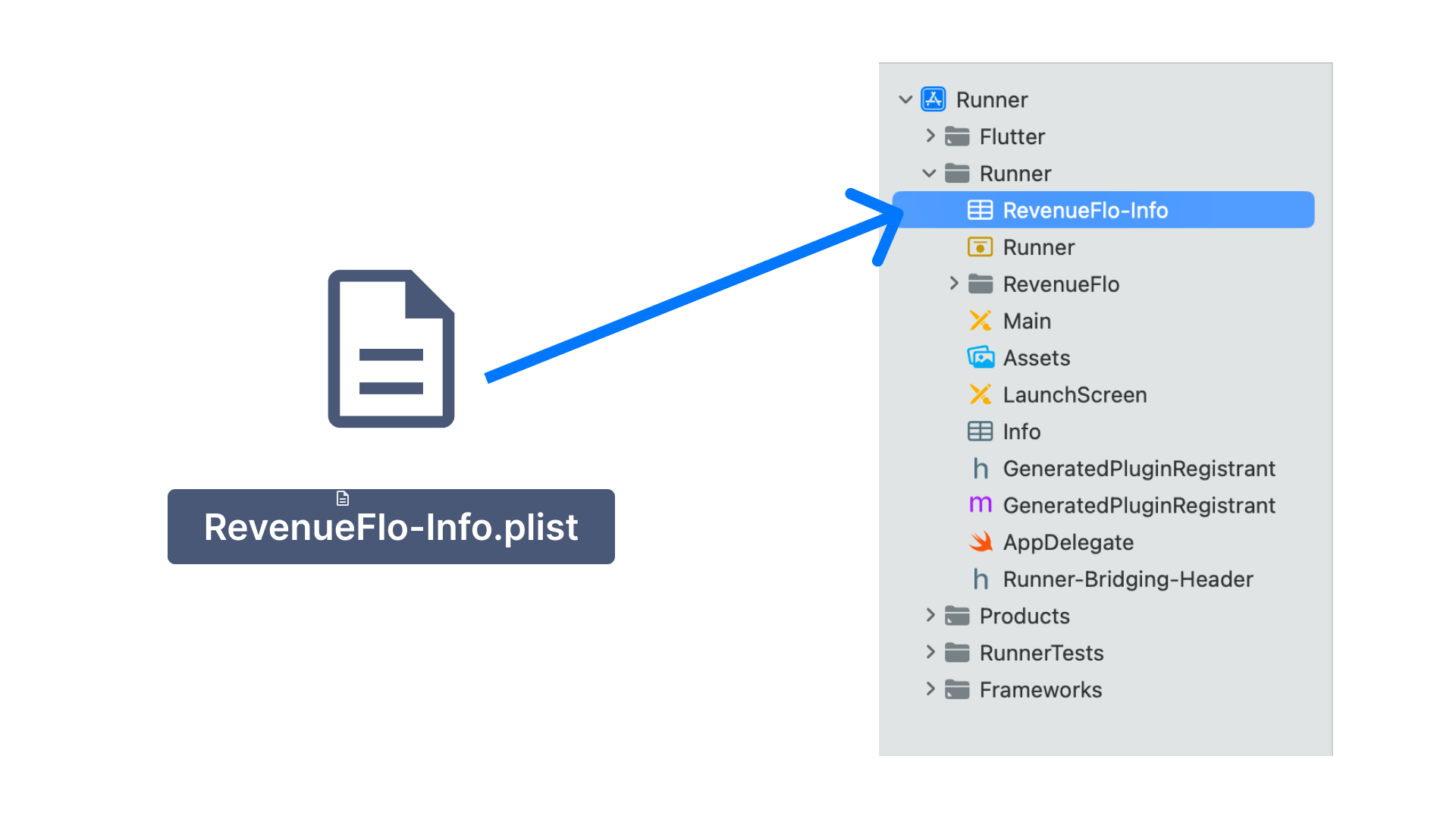
  • Copy the RevenueFlo-Info.plist file you just downloaded into the root of your Xcode project inside the Runner folder and add it to all targets. Copy the RevenueFlo-Info.plist to project
2

Add RevenueFlo SDK

  • Download RevenueFlo SDK
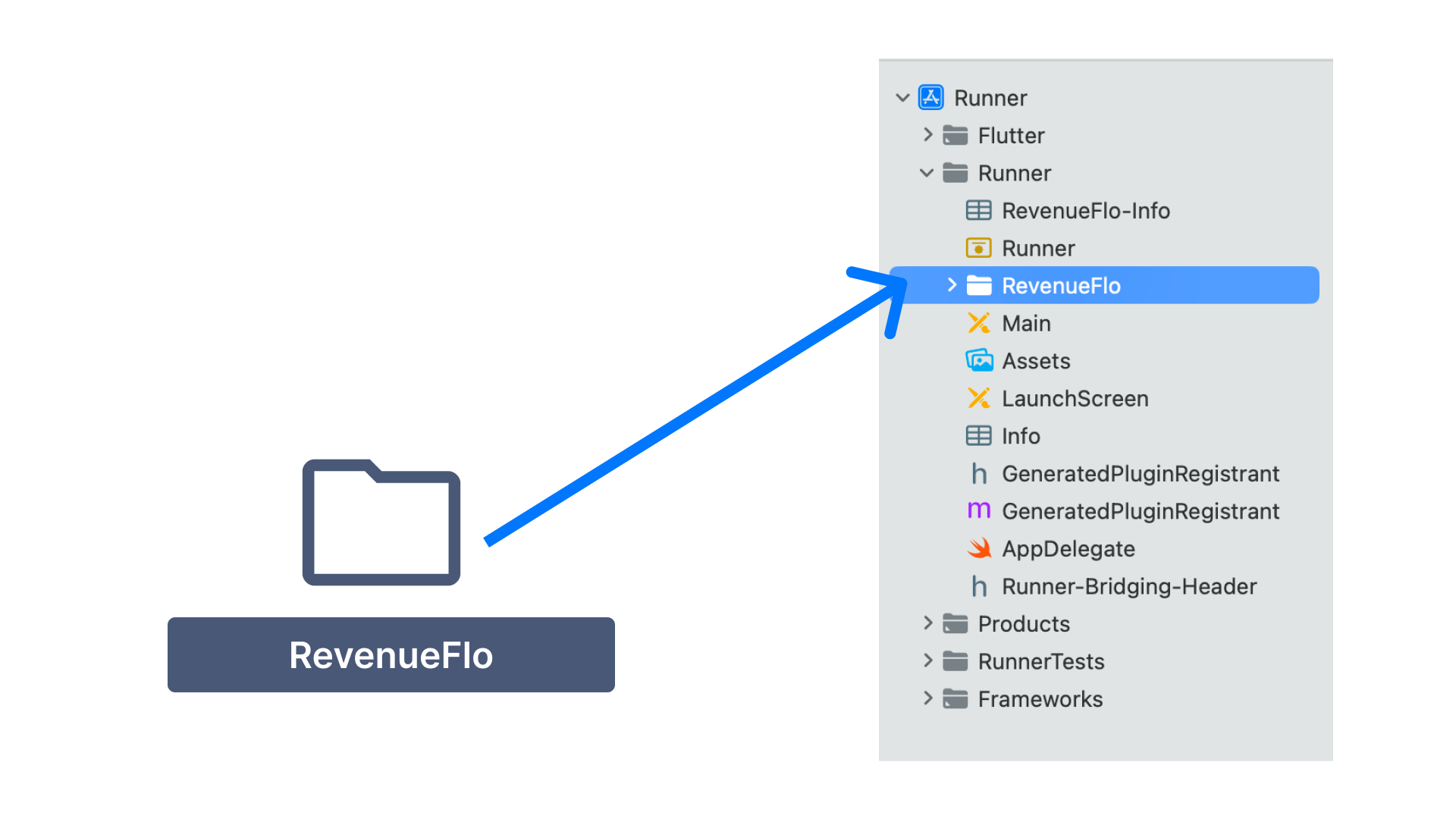
  • Unzip & Copy the RevenueFlo folder from the SDK you just downloaded into the root of your Xcode project inside the Runner folder and add it to all targets. Copy the RevenueFlo SDK to project
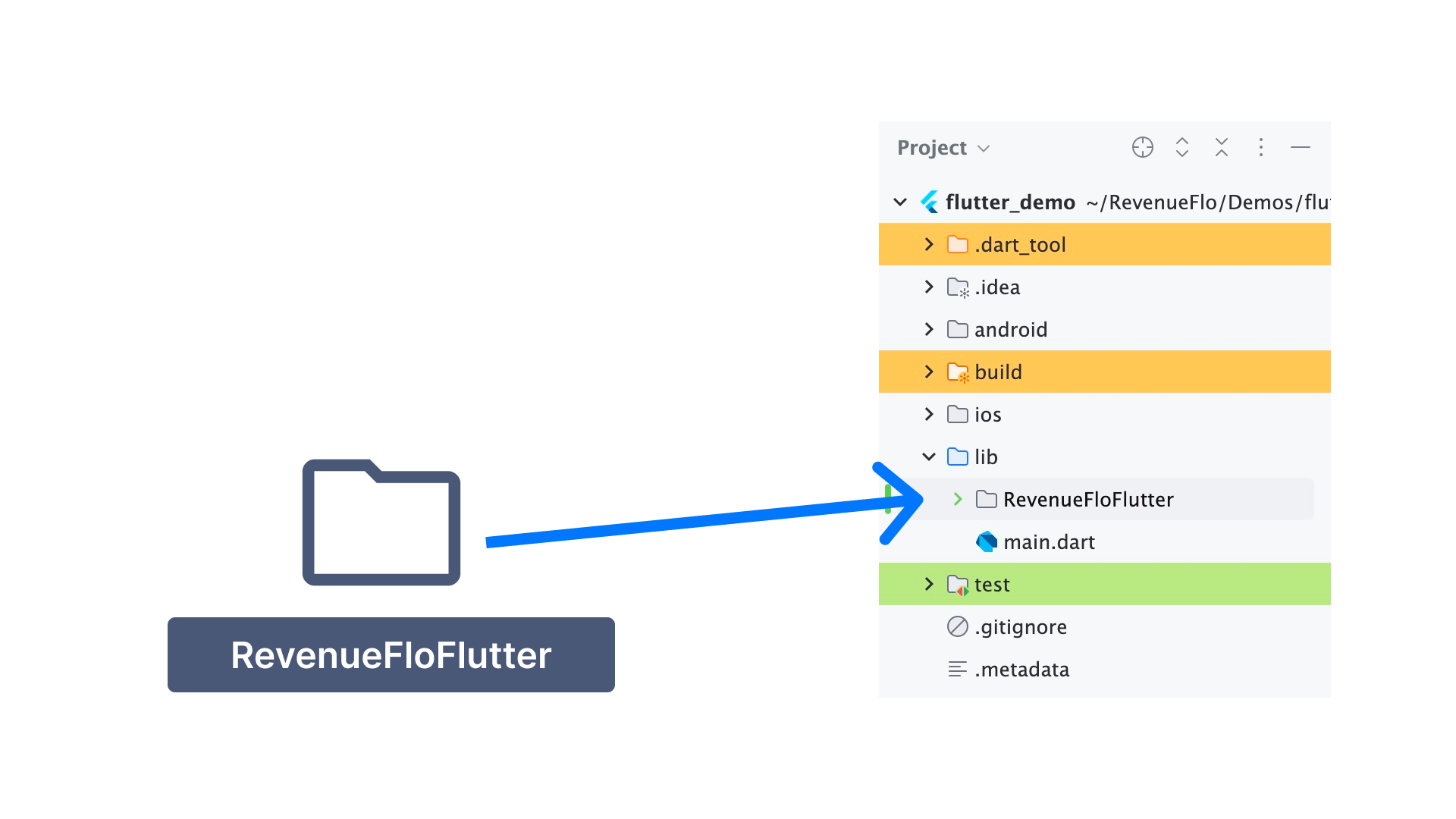
  • Copy the RevenueFloFlutter folder from the SDK you just downloaded into your Flutter project inside the lib Folder. Copy the RevenueFloFlutter SDK to project
3

Configure App Attest

First, you need to configure the Xcode project so that the SDK can use Apple’s App Attest API to ensure that requests sent from your app come from legitimate instances of your app.
  1. Add the App Attest capability for your app target.
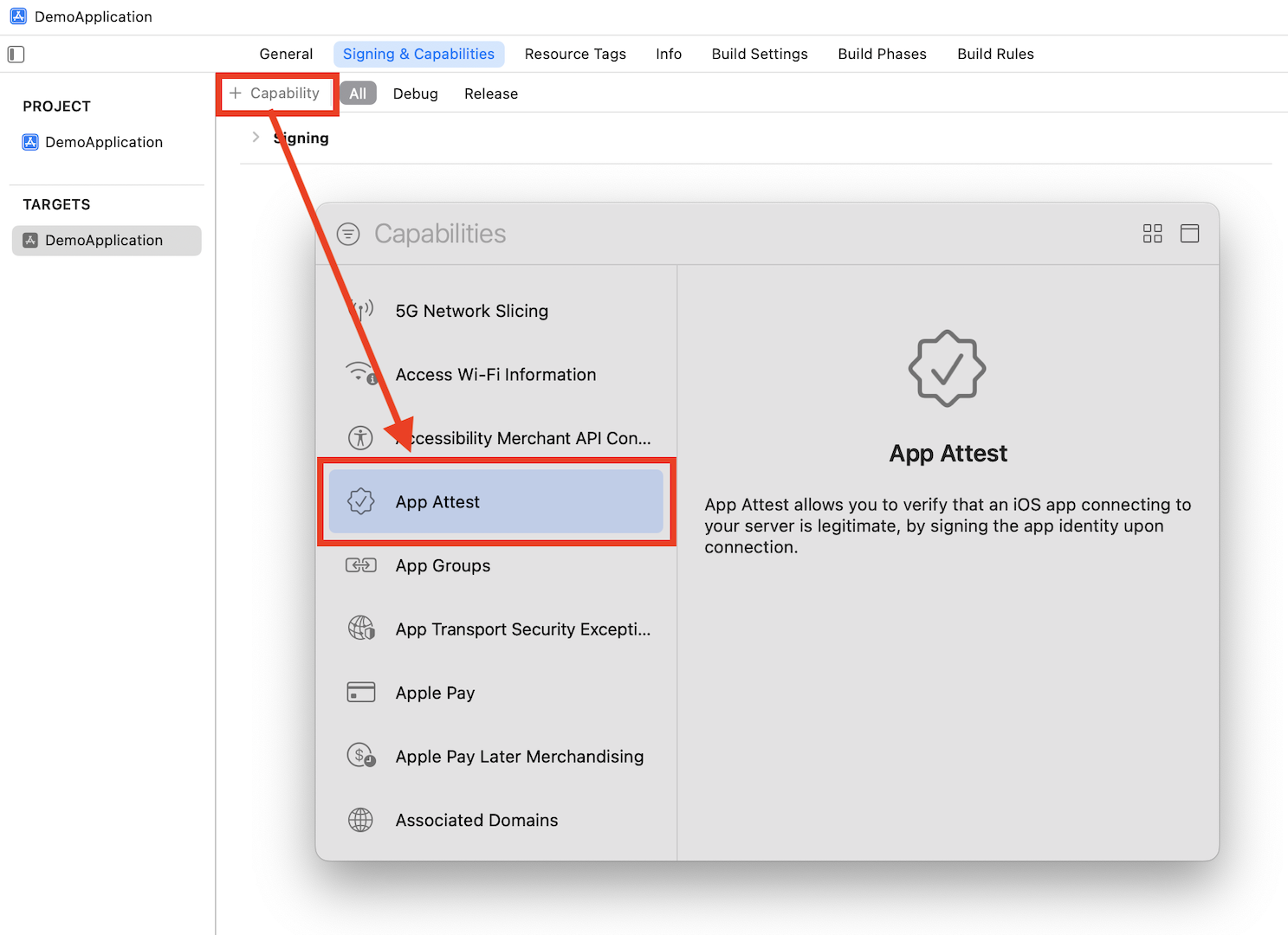
    Add the App Attest capability
  2. Open the .entitlements file in your Xcode project and set the App Attest Environment value to $(ATTENV)
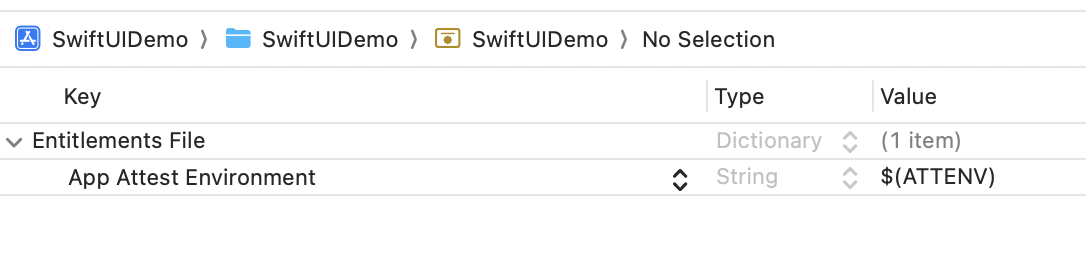
    Set the App Attest Environment value
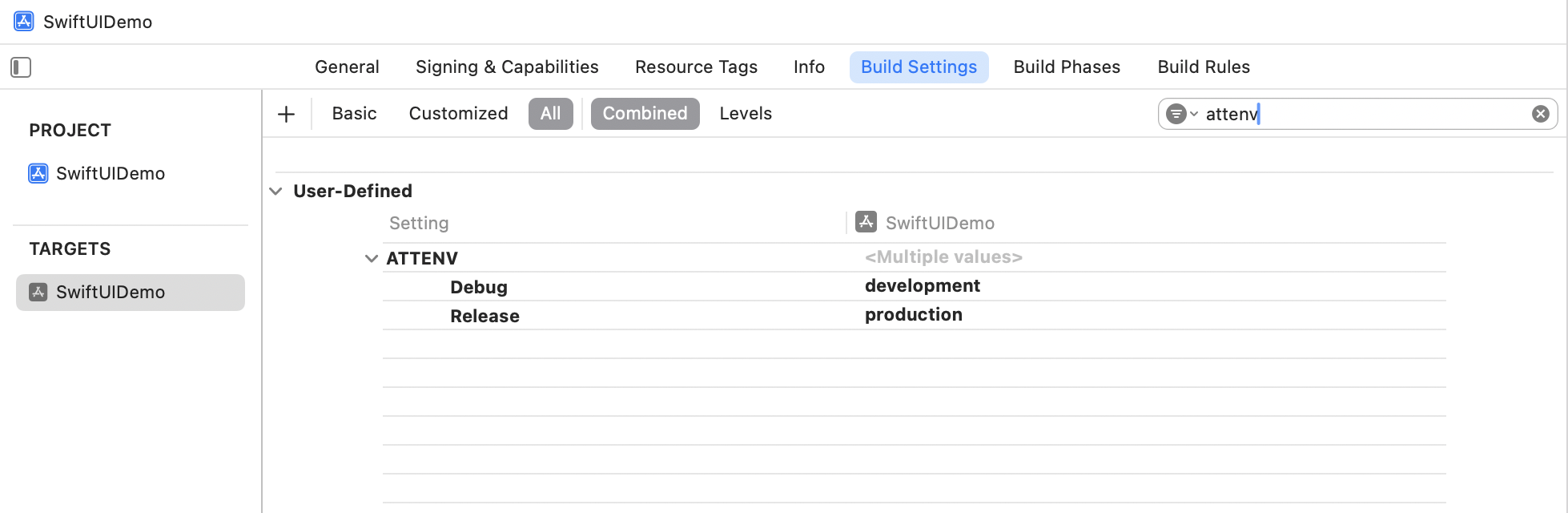
  3. In Xcode’s Target Build Settings, create a user-defined setting named ATTENV and set its value to production for Release and development for Debug.

    Create a user-defined setting named ATTENV

Import the SDK Code

In your application delegate, add the following lines at the beginning of application:didFinishLaunchingWithOptions: and other functions.
Swift
import Flutter
import UIKit

@main
@objc class AppDelegate: FlutterAppDelegate {
    override func application(
        _ application: UIApplication, didFinishLaunchingWithOptions launchOptions: [UIApplication
            .LaunchOptionsKey: Any]?
    ) -> Bool {
        // Setup RevenueFlo
        setupRevenueFloSDK()
        GeneratedPluginRegistrant.register(with: self)
        return super.application(
            application, didFinishLaunchingWithOptions: launchOptions)
    }

    // Copy from here
    private func setupRevenueFloSDK() {
        let controller = window?.rootViewController as! FlutterViewController
        let channel = FlutterMethodChannel(
            name: "com.revenueflo.swift.sdk/native",
            binaryMessenger: controller.binaryMessenger)

        RevenueFlo.shared.setFlutterChannel(channel)

        channel.setMethodCallHandler { [weak self] (call, result) in
            if call.method == "configureRevenueFlo" {
                // Call the configure function in RevenueFlo.shared
                self?.configureRevenueFlo(result: result)
            } else if call.method == "presentOffer" {
                self?.presentOffer(
                    args: call.arguments as? [String: Any], result: result)
            } else {
                result(FlutterMethodNotImplemented)
            }
        }
    }

    private func configureRevenueFlo(result: @escaping FlutterResult) {
        RevenueFlo.configure()
        RevenueFlo.shared.fetchOfferCampaigns()
        result("RevenueFlo configured successfully!")
    }

    private func presentOffer(
        args: [String: Any]?, result: @escaping FlutterResult
    ) {

        let delay = args?["delay"] as? Double ?? 0.0
        DispatchQueue.main.async {
            guard let rootViewController = self.window?.rootViewController
            else {
                result(
                    FlutterError(
                        code: "NO_ROOT_VIEW_CONTROLLER",
                        message: "Root view controller not found.",
                        details: nil))
                return
            }

            RevenueFlo.shared.presentOfferInFlutter(
                from: rootViewController, delay: delay, completion: result)
            result("RevenueFlo offer presented successfully!")
        }
    }
    // Copy till this
}

Present an In-app Offer

Configure RevenueFlo in lib/main.dart and call presentOffer() from your widget to seamlessly present exclusive offers to your users. Ensure to configure the offer details in the campaign dashboard before invoking.
Flutter
// update the main function
Future<void> main() async {
  WidgetsFlutterBinding.ensureInitialized();
  if(Platform.isIOS) {
    await RevenueFloFlutter.configure();
  }
  runApp(const MyApp());
}

// declare the Revenueflo offer function
void presentRevenuefloOffer({double delay = 0.0}) {
    RevenueFloFlutter.presentOffer();
    RevenueFloFlutter.setDelegateListeners(
      onOfferDidPresent: (offer) {
        debugPrint("Offer Presented: \$offer");
      },
      onOfferDidClose: (offer) {
        debugPrint("Offer Closed: \$offer");
      },
      onOfferPrimaryButtonDidClick: (offer) {
        debugPrint("Primary Button Clicked: \$offer");
      },
    );
}

// Invoke on button press or in any screen's Widget build(BuildContext context) 
// Set up your UI
// Set 5 secs delay if you're invoking on app launch.
  // presentRevenuefloOffer(delay: 5.0);
          
OutlinedButton(onPressed: () {
                  // Call the SDK method to seamlessly present an exclusive offer from the Revenueflo.  
                  if (Platform.isIOS) {
                    presentRevenuefloOffer();
                  }
                },
                child: const Text("Show Offer")),
Make sure you have at least one campaign active in RevenueFlo and test on a real device to experience your offer paywall exactly as your users will see it.

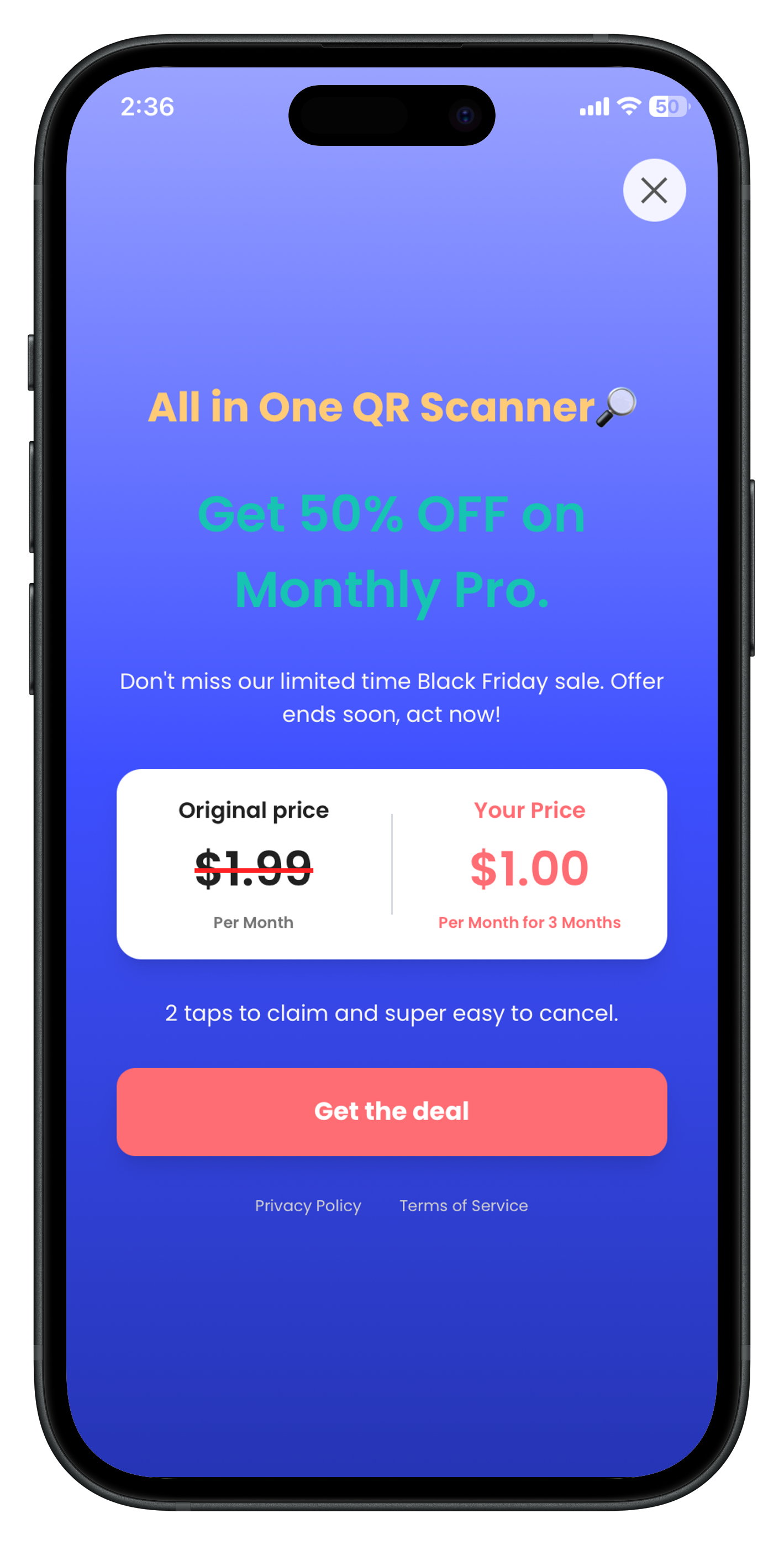
Example In-app Offer

Here’s the final presented offer paywall from RevenueFlo. In-app Discount Paywall