Requirements
Xcode 13.0+ and iOS 15.0+ or later.Installation
1
Download config file
- Go to your RevenueFlo project dashboard.
- Select the Settings from sidebar.
- Select SDK & Code Setup → Swift and Download RevenueFlo-Info.plist
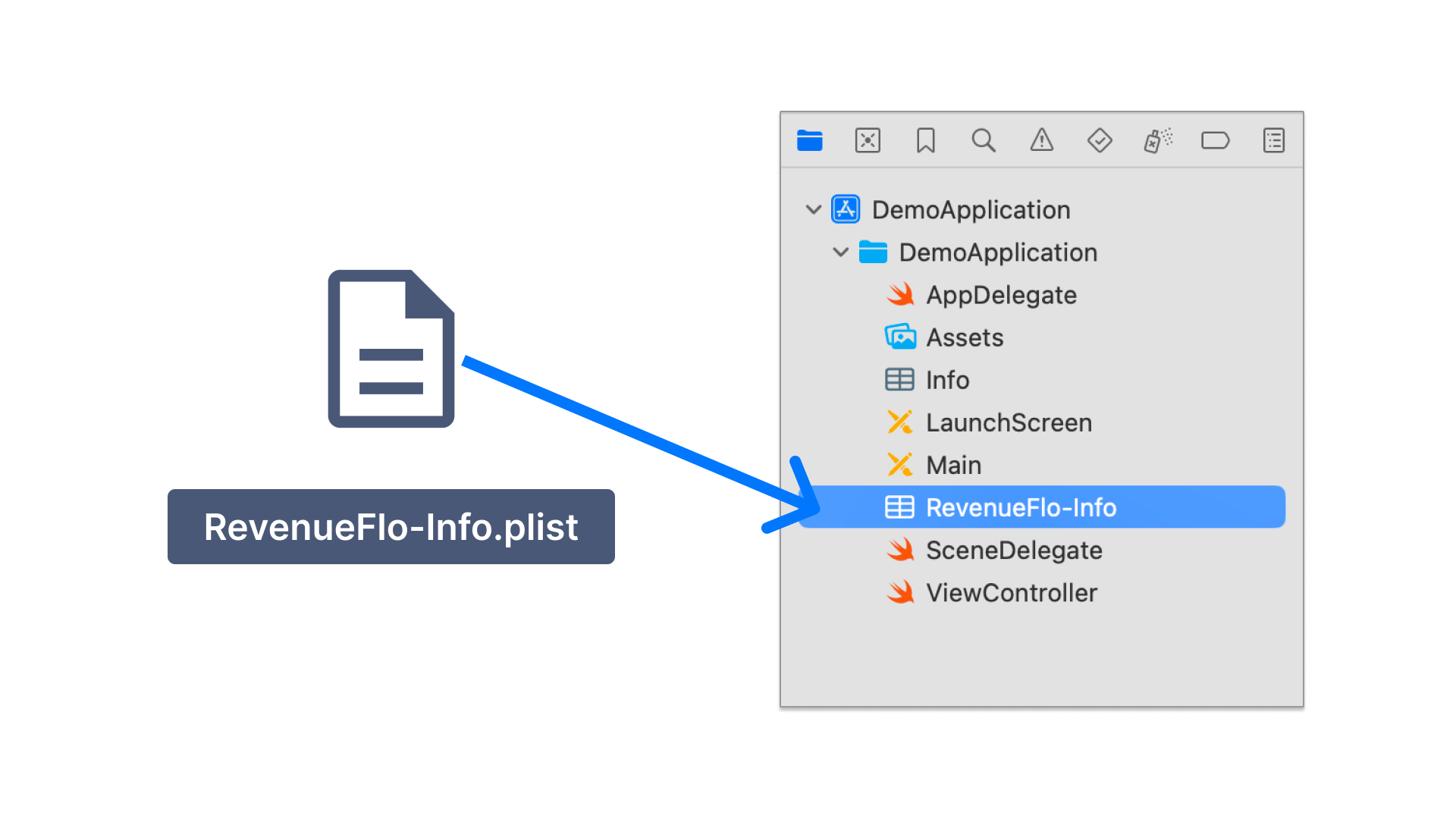
- Copy the RevenueFlo-Info.plist file you just downloaded into the root of your Xcode project and add it to all targets.
2
Add RevenueFlo SDK
- Download RevenueFlo SDK
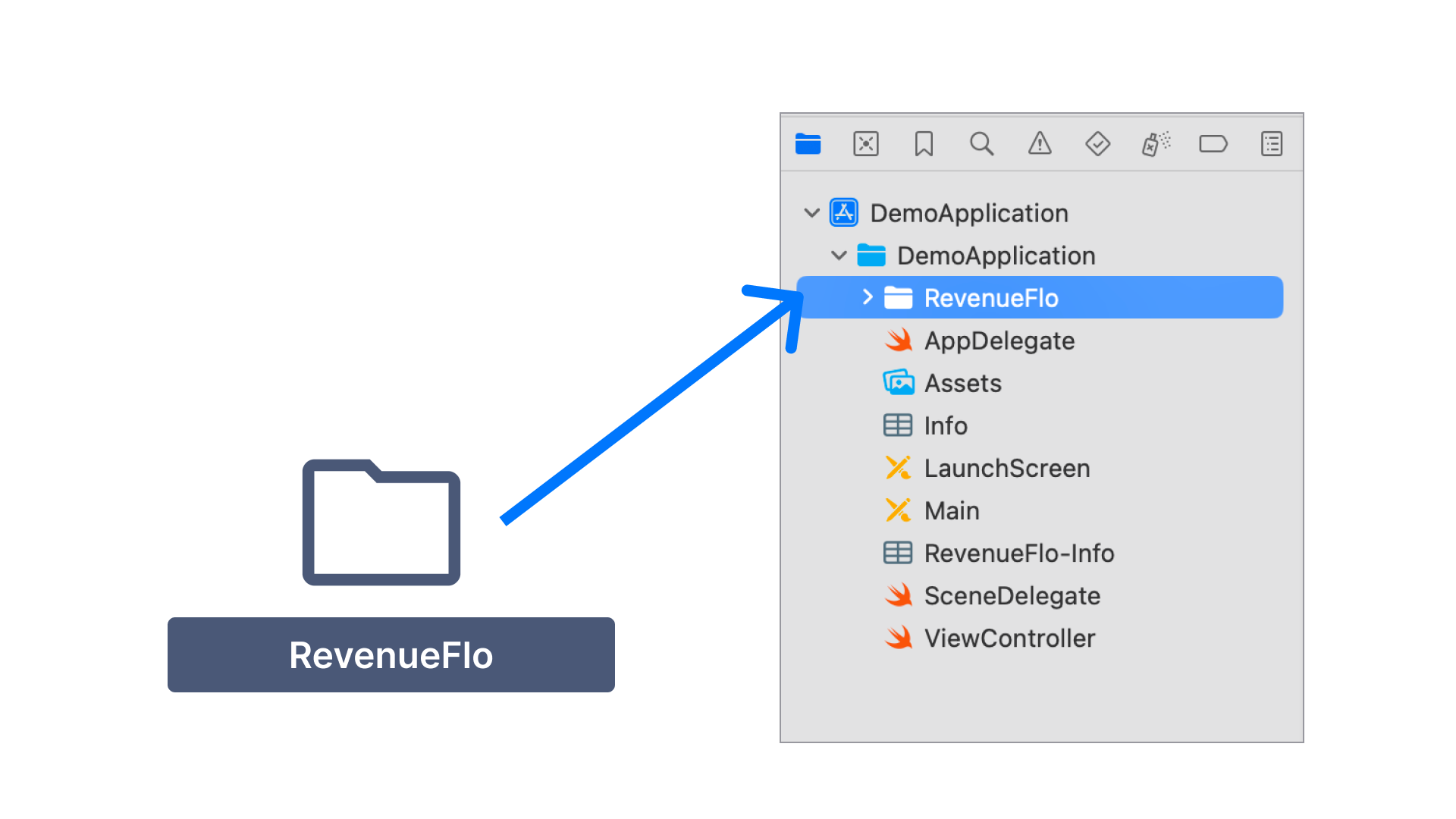
- Unzip & Copy the RevenueFlo SDK files you just downloaded into the root of your Xcode project and add it to all targets.
3
Configure App Attest
First, you need to configure the Xcode project so that the SDK can use Apple’s App Attest API to ensure that requests sent from your app come from legitimate instances of your app.
-
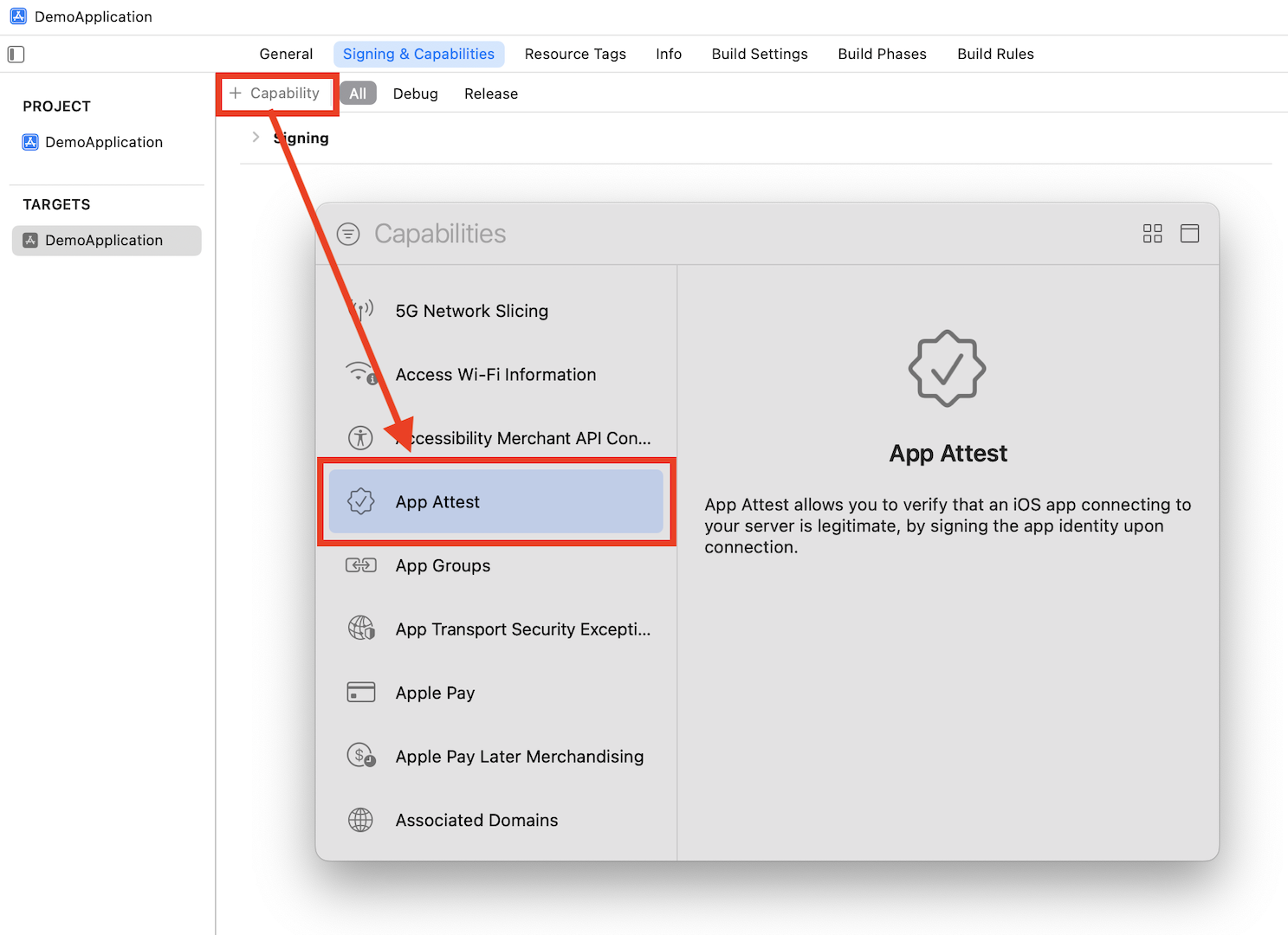
Add the App Attest capability for your app target.
-
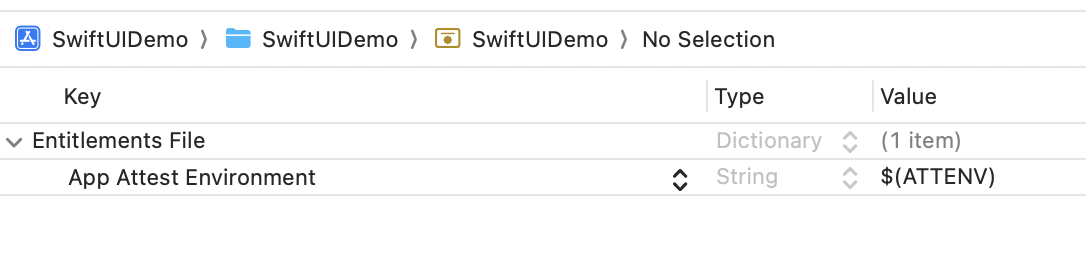
Open the .entitlements file in your Xcode project and set the App Attest Environment value to
$(ATTENV)
-
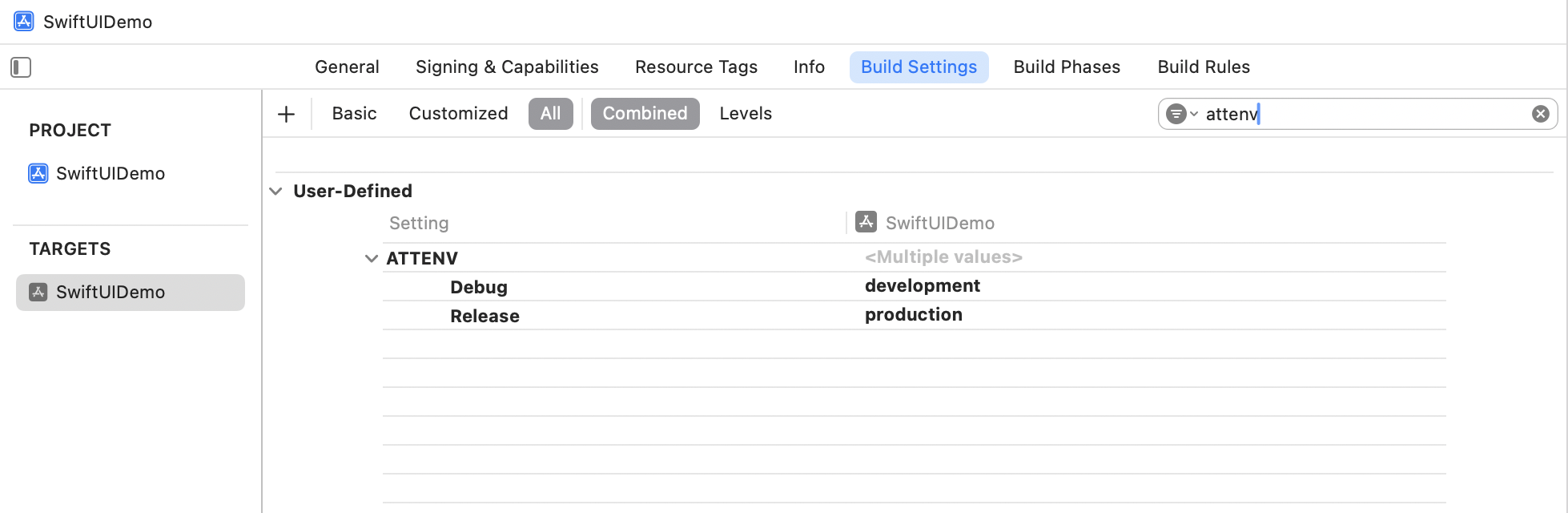
In Xcode’s Target Build Settings, create a user-defined setting named
ATTENVand set its value toproductionfor Release anddevelopmentfor Debug.
Import the SDK Code
In your application delegate, add the following lines at the beginning insideapplication:didFinishLaunchingWithOptions:
Swift
Present an In-app Offer
In your ViewController, call thepresentOffer() method to seamlessly present an exclusive offer to your users. Ensure to configure the offer details in the campaign dashboard before invoking.
Swift
Make sure you have at least one campaign active in RevenueFlo and test on a real device to experience your offer paywall exactly as your users will see it.
Example In-app Offer
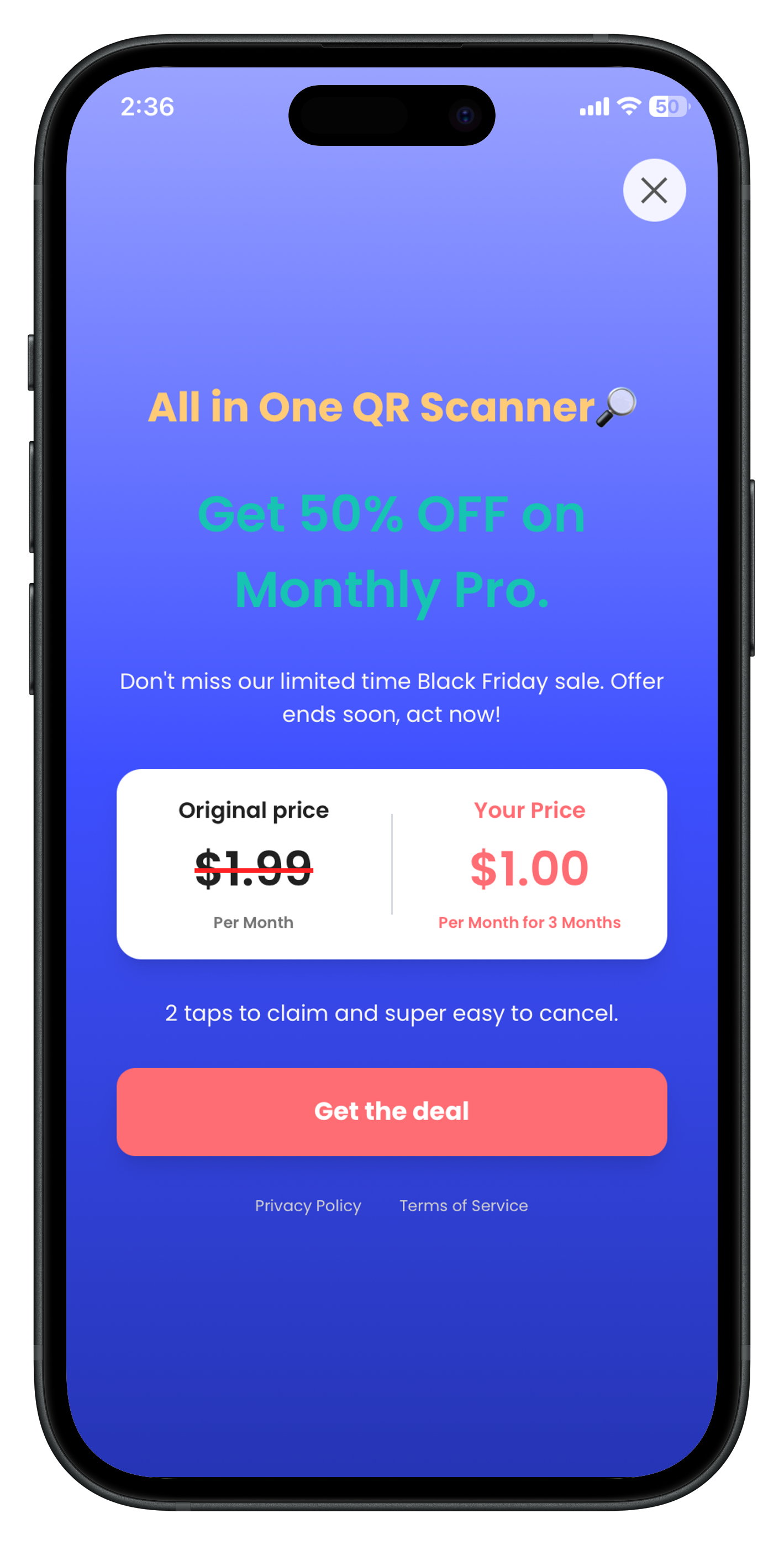
Here’s the final presented offer paywall from RevenueFlo.